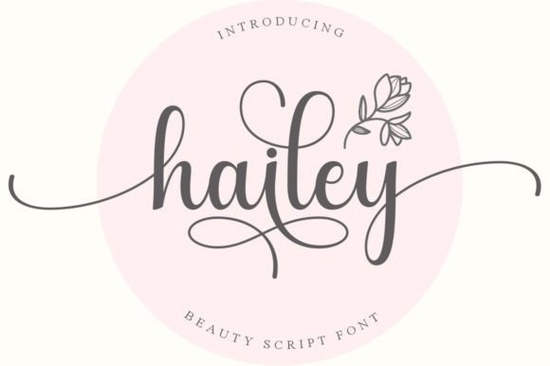
Finding a handwritten typeface that feels personal without sacrificing readability is a common challenge for designers. Whether you are making wedding invitations, branding a small business, or creating social media graphics, the typeface sets the tone for your entire project. The Hailey Font is a strong contender for projects needing a delicate touch. It offers a flowing style that mimics natural handwriting, making it ideal for creators who want their work to feel authentic and warm.
Many script fonts look beautiful in previews but fail when used in real-world designs. They might be too hard to read or lack the necessary characters for a full alphabet. This typeface addresses those issues by balancing elegance with functionality. It is designed to work well in both large headings and smaller subheaders, provided there is enough spacing between the letters. If you are working on a logo or a watermark, this style adds a layer of sophistication without appearing overly formal or stiff.
What Makes This Typeface Stand Out?
The primary appeal lies in its distinct flow. Unlike rigid sans-serif options, this script connects letters in a way that feels organic. It captures the essence of modern calligraphy while remaining clean enough for digital use. For those who enjoy creating feminine brands or lifestyle content, this aesthetic fits perfectly. It pairs well with simple sans-serif fonts, allowing the script to be the focal point while maintaining overall clarity.
If you are just starting out in design, understanding how to pair fonts is crucial. You might want to browse options tailored for an absolute beginner looking at script fonts to understand the basics of typography hierarchy. Knowing when to use a bold script versus a delicate one can save you hours of revision time. This particular font leans towards the lighter side, so it works best against solid backgrounds or high-contrast images where the thin strokes won't get lost.
How Easy Is It to Use in Your Software?
Technical barriers often stop crafters from using advanced typography features. Fortunately, this font is PUA encoded. This means you can access all of the glyphs and swashes with ease through standard design software like Cricut Design Space, Silhouette Studio, or Adobe Illustrator. You do not need special plugins or complex key combinations to access the alternate characters. Simply type your text and select the swashes from the glyph panel.
Having access to alternates is vital for avoiding repetitive patterns. If you use the same letter shape every time, the text looks robotic. With the included swashes, you can vary the beginning and ending strokes of words to create a unique look for every project. This level of customization is essential for print-on-demand sellers who need each design to feel original. It ensures that even if you use the same font for multiple products, each listing looks distinct.
Are There Similar Styles to Consider?
Sometimes you need to explore a few options before settling on the perfect one. While this font offers a timeless style, you might want something with more energy or color. For example, if you prefer a bolder look, you could compare it to the Pink Vibes Duo for a different vibe. That option might suit projects requiring more pop and personality, whereas Hailey remains understated and classy.
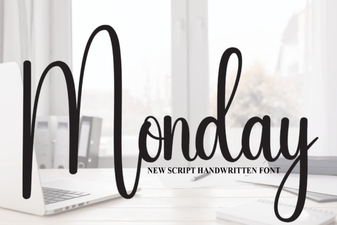
Alternatively, if you need something for casual weekday posts or less formal branding, the Monday Font offers a relaxed alternative. It is always good to have a few scripts in your library for different occasions. For those who want to browse a broader range of options, checking out a collection of stylish font script options can help you see what else is available in this category. Variety ensures you never feel stuck with a single aesthetic.
Another elegant option to keep in mind is the Smithson Font. Comparing different scripts helps you understand stroke weight and spacing better. If Hailey feels too light for your background, Smithson might provide the contrast you need. Building a toolkit of complementary fonts allows you to work faster and maintain consistency across your brand materials.
What Projects Work Best With This Font?
This typeface shines in specific contexts where emotion and style matter. It is particularly effective for wedding stationery, such as save-the-dates or menu cards. The delicate lines convey a sense of celebration and grace. Beyond paper goods, it works well for digital products like planners or journal covers. Crafters using cutting machines will find the paths clean and easy to weed, which reduces material waste.
Small business owners can use it for packaging labels or thank-you cards. Adding a handwritten note style to your packaging creates a personal connection with customers. However, avoid using it for long blocks of text. Script fonts are best reserved for headlines, quotes, or short phrases. For body text, stick to a simple serif or sans-serif to ensure your audience can read the information without straining their eyes.
- Check Contrast: Ensure the background color makes the thin strokes visible.
- Use Swashes: Activate alternates to prevent repetitive letter shapes.
- Pair Wisely: Combine with a simple sans-serif for balance.
- Test Readability: Print a sample to see how it looks on physical material.
- License Check: Verify if your subscription covers commercial use for your specific product.
Before finalizing your design, always view it at 100% scale. What looks good on a small screen might appear too thin when printed. Taking these small steps ensures your final product looks professional and polished.
Get Started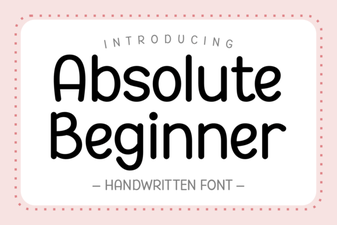 Best Fonts for Your First Design Project
 Free Monday Font for Creative Projects
 Fonts for Creative Overthinkers & Detailed Projects
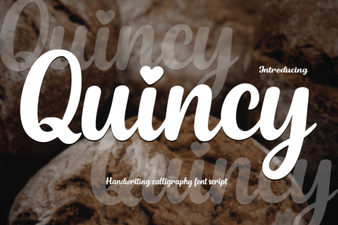 Quincy Font: Creative Typography for Unique Design Projects
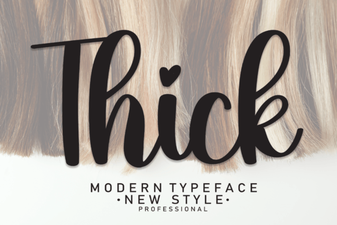 Thick Fonts: Bold Design for Modern Projects
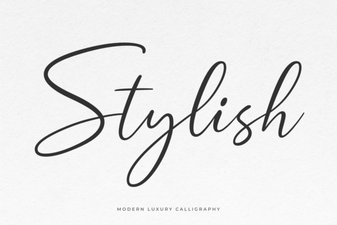 Design Elegance: Choosing the Right Stylish Font