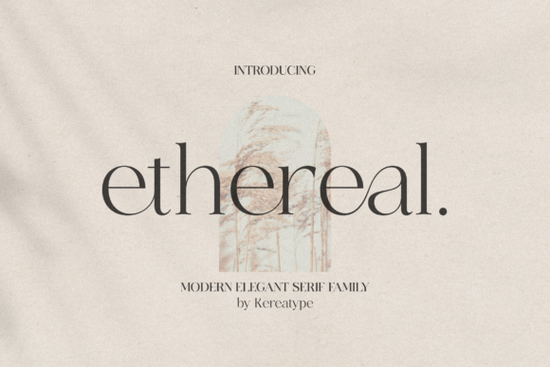
Finding the right typeface for a luxury brand can be tricky. You need something that feels expensive but remains readable across different mediums. The Ethereal Font is designed to fill that gap. It offers a modern take on classic serif structures, making it a strong candidate for businesses that want to project sophistication without looking outdated. Whether you are creating a logo for a boutique or designing packaging for a beauty product, this tool provides the necessary stylistic range.
What Makes This Typeface Unique?
This family stands out because it balances traditional elegance with contemporary flair. Many serif fonts feel too stiff for modern branding, but this one includes stylish extras that add personality. It comes with various weights, allowing you to establish a clear visual hierarchy in your designs. You can use the lighter weights for body text and the bolder versions for headlines. This flexibility is crucial when you are building a complete brand identity system.
Another key feature is the inclusion of glyphs and swashes. These decorative elements let you customize letters to fit specific spaces or add a flourish to a monogram. Instead of relying on standard characters, you can create unique ligatures that make your logo harder to replicate. This level of customization helps small businesses stand out in crowded markets where generic templates are common.
Where Should You Use This Font?
The primary use case for this typeface is branding and logo design. Its elegant structure works well for industries like fashion, wellness, and high-end retail. If you run a print-on-demand shop, you can use it to create text-based designs for mugs, tote bags, or wall art. The clean lines ensure that the text remains legible even when printed on textured materials.
It is also suitable for social media graphics. When you need to overlay text on images for Instagram or Pinterest, a strong serif can command attention without shouting. Pairing it with a simple sans-serif for secondary information creates a professional look. For wedding invitations or event stationery, the stylish extras provide that touch of formality that clients often request.
How Do You Access the Swashes?
One technical detail to note is that this font is PUA encoded. PUA stands for Private Use Area, which allows you to access all the glyphs and swashes with ease in standard design software. You do not need special plugins or complex coding to use these features. In programs like Cricut Design Space, Silhouette Studio, or Adobe Illustrator, you can simply copy and paste the alternative characters from the included character map.
This encoding saves time during the design process. Instead of hunting through multiple font files to find the right alternate letter, everything is contained within one installable file. For crafters who are not professional graphic designers, this simplifies the workflow significantly. You can focus on the layout and composition rather than troubleshooting technical font issues.
Are There Similar Style Options?
While this serif family is versatile, you might want to explore other styles depending on your project needs. If you prefer something more rustic or textured for a vintage-themed brand, you might look at vintage style options that offer a rougher edge. Sometimes a clean serif feels too polished for a handmade product label.
For projects that require high visibility and impact, bold serif choices can work well. These are useful when your design needs to pop against a busy background. On the other hand, if you are working on something playful or seasonal, warm themed collections might fit the mood better than a neutral palette.
If you decide to stick with the main product discussed here, you can see more details on this specific serif family page. Comparing different weights and styles side-by-side helps you make an informed decision before committing to a download.
Practical Checklist for Installation
Before you start designing, ensure you have set up your files correctly. Follow these steps to avoid common errors:
- Download and Extract: Unzip the file folder immediately after downloading to access the font files.
- Install Properly: Right-click the font file and select "Install" for Windows or use Font Book for Mac.
- Check PUA Access: Open the character map to verify you can see the swashes and alternate glyphs.
- Test Kerning: Type out your logo text and adjust the spacing between letters to ensure it looks balanced.
- Save Versions: Save a version with standard characters and another with swashes to give clients options.
Taking these steps ensures that your final output looks professional across all devices and print materials.
Get Started Fresh Citrus Fonts for Web Design Projects
 Vintage Typeface Styles for Modern Projects
 Choosing and Using Bright Fonts for Impactful Design
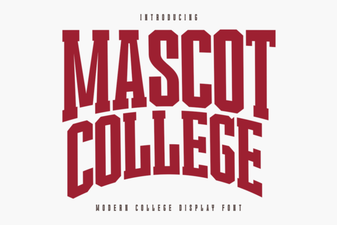 Designing with the Official Mascot College Font
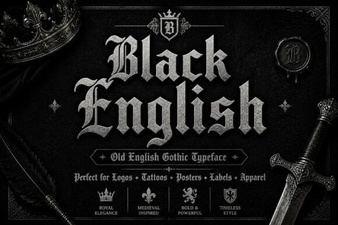 Stylish Black Font Designs for Web Projects
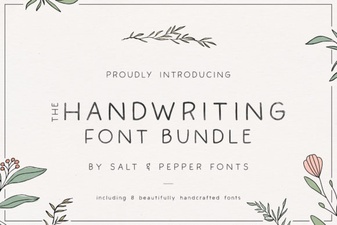 Craft Your Project with the Handwriting Bundle Font