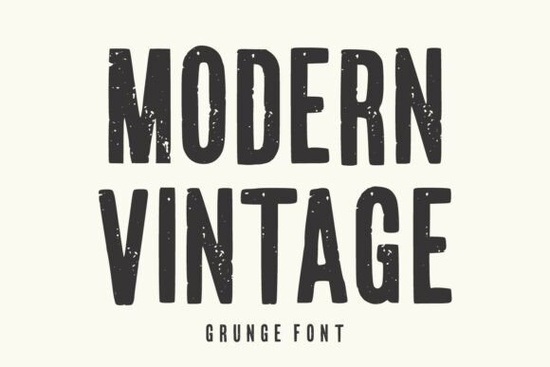
Finding the right typeface for a project that needs character can be tough. You want something that feels old but looks fresh enough for today's market. The Modern Vintage Font fits this need by blending classic shapes with a worn texture. It gives your work an instant story without looking outdated. This specific style is built for designers who need to grab attention quickly, whether they are making logos for a coffee shop or graphics for a streetwear brand.
What makes this typeface unique?
The core appeal lies in the combination of tall, condensed letterforms and authentic grunge details. Unlike clean sans-serif options, this typeface includes worn edges that mimic ink printed on rough paper or stamped onto fabric. This distressed texture adds a layer of depth that flat colors cannot achieve on their own. It creates a raw, handcrafted feel that resonates well with audiences looking for authenticity.
Because the letters are condensed, you can fit more text into a headline without reducing the font size. This is particularly useful for packaging where space is limited. The bold weight ensures that the text remains visible even when placed over busy backgrounds. However, the grunge effect means you need to be careful about contrast. Always test your design on different backgrounds to ensure the worn details do not make the letters hard to read.
Where should you use this font?
This typeface shines in projects that require a strong visual identity. It is an excellent choice for print-on-demand sellers creating t-shirt designs. The rugged look works naturally on apparel, giving the impression of a established brand rather than a new print. It is also suitable for poster art, album covers, and signage where a retro vibe is desired.
If you are working on a project that involves sports or team branding, you might compare this style against varsity style typography to see which fits your theme better. For lighter, more playful branding, you could explore more playful display options that offer a less serious tone. When you need to contrast this rugged look with something softer, pairing it with rounded bubble lettering can create an interesting visual balance between hard and soft elements.
How do you handle the distressed texture?
One common concern with grunge fonts is readability. The worn details are great for headlines, but they can become muddy at smaller sizes. It is best to use this typeface for display text rather than body copy. If you need to include smaller information, pair it with a clean, simple sans-serif font. This keeps the hierarchy clear and ensures important details like addresses or ingredients are easy to scan.
When exporting your designs, save them in high-resolution formats. The texture details can sometimes pixelate if the resolution is too low. For web use, consider adding a slight drop shadow or a solid background behind the text to help the distressed edges stand out against complex images. This small adjustment can significantly improve legibility on social media graphics.
What other styles pair well?
Successful design often relies on contrast. Since this font is bold and textured, it pairs well with minimalist elements. Use plenty of white space around the text to let the details breathe. If you are creating a logo, try combining it with simple icons or badges. For whimsical projects that need a mix of retro and quirky, you might look at whimsical design elements to complement the vintage aesthetic.
Color choice also plays a big role. Earth tones like mustard yellow, olive green, and burnt orange enhance the vintage feel. However, high-contrast black and white combinations work just as well for a stark, urban look. Do not be afraid to experiment with textures behind the text as well, such as paper grain or concrete walls, to reinforce the theme. If you want to see more options in this niche, you can explore similar vintage collections to find the perfect match for your specific project needs.
Is it suitable for beginners?
Yes, this typeface is user-friendly for designers at any level. It comes in standard formats that work with most design software, including Adobe Illustrator, Photoshop, and Canva. You do not need advanced technical skills to install or use it. The key is to trust the design and not over-edit the texture. Let the font do the heavy lifting for the aesthetic.
For small business owners handling their own marketing, this font can save time on design. It provides a professional look without requiring custom illustration. Just ensure you have the correct license for your intended use, especially if you are selling products with the text on them. Always check the terms provided with the download to confirm commercial rights.
Quick Design Checklist
- Check Contrast: Ensure the distressed edges are visible against your background.
- Limit Usage: Use for headlines and logos, not long paragraphs.
- Pair Wisely: Combine with clean, simple fonts for body text.
- Test Sizes: Verify readability at different scales before finalizing.
- Verify License: Confirm commercial rights for print-on-demand products.
Start by downloading the file and testing it in your current project. Try it on a mockup to see how the texture interacts with real-world surfaces. This practical step will help you decide if it is the right fit before you commit to a full design layout.
Get Started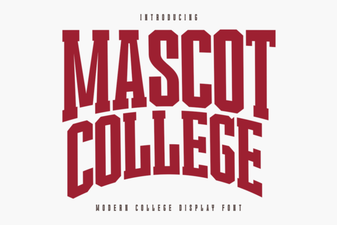 Designing with the Official Mascot College Font
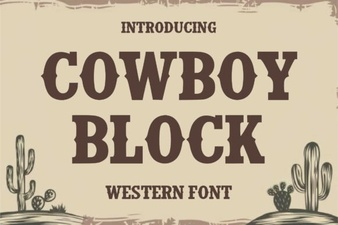 Bring Projects to Life with Cowboy Block Font
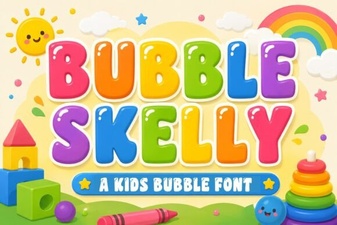 Unique Bubble Skelly Font Projects & Ideas
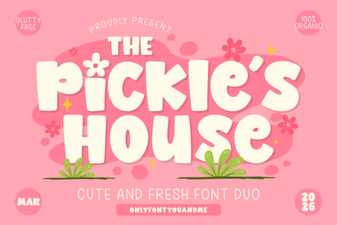 The Pickles House: a Font for Creative Projects
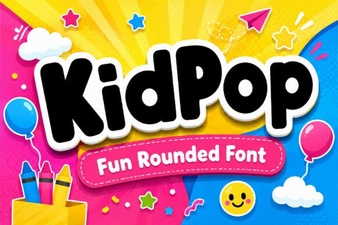 Kidpop Font: Playful Designs & Creative Projects
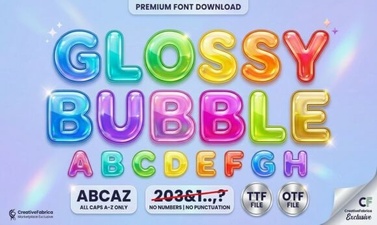 Designing with Glossy Bubble Fonts: Style Guide & Ideas