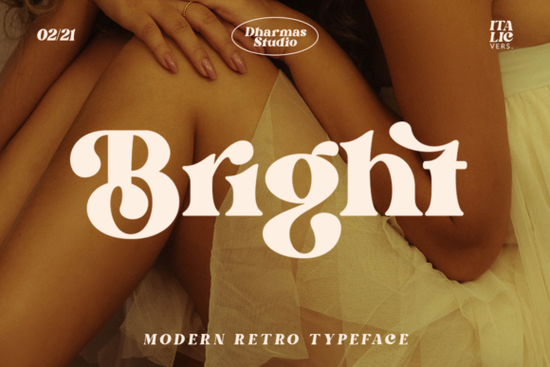
Finding a typeface that balances modern clarity with retro charm is often harder than it looks. Many designers struggle to find a serif that feels fresh without losing that nostalgic touch. This is where the Bright Font comes into play. It offers a stylish serif structure that captures a specific era while remaining usable for contemporary projects. If you are working on branding, apparel, or digital invites, understanding how this font behaves can save you hours of tweaking.
The appeal of this typeface lies in its dual nature. It carries a bold presence suitable for headlines but retains enough elegance for body text in certain layouts. For crafters using cutting machines, the clarity of the strokes ensures that intricate details do not get lost during weeding. Small business owners often need assets that stand out on crowded marketplaces, and a distinct typographic voice helps achieve that.
What Makes This Serif Stand Out for Vintage Projects?
The design draws heavily from the aesthetics of the 60s and 70s. During this period, typography was experimental yet readable. This font mimics that vibe by combining thick and thin strokes in a way that feels organic rather than rigid. When you apply it to a layout, it immediately sets a tone that is both fun and professional.
One of the technical strengths here is the inclusion of over 50 unique alternates and ligatures. These are not just decorative; they allow you to customize how letters connect. For example, you can change the tail of a "y" or the loop of a "g" to fit the surrounding whitespace better. This level of control is essential when creating logos where uniqueness matters. You can explore more about this specific collection to see how these variations work in different contexts.
For those who prefer a softer approach to vintage design, sometimes a bold serif is too much. In those cases, looking at dreamy typefaces might provide the lightness you need. However, if your goal is to make a statement on a t-shirt or a poster, the weight of this font holds up well against colorful backgrounds.
How Do You Use It for Print on Demand?
Print-on-demand sellers know that typography often sells the product before the image does. When placing text on apparel, readability is key. This font works well because its bold strokes remain visible even when printed on textured fabrics like cotton or canvas. It is particularly effective for short phrases or single words centered on a chest pocket or back print.
Color pairing is another consideration. The retro nature of the typeface pairs naturally with warm tones. If you are building a brand identity around citrus or summer themes, this font complements palettes found in citrus themes. The sharp edges of the letters contrast nicely with round shapes like oranges or lemons, creating a balanced composition.
However, not every project needs a clean, bold look. Some customers prefer a more worn-in aesthetic. If your niche leans towards rustic home decor or vintage signage, you might consider options that offer a rustic, textured feel. But for modern retro designs that need to look crisp on digital mockups, this serif remains a strong contender.
Is the Technology Compatible with Crafting Software?
A common concern for hobbyists using Cricut or Silhouette machines is font compatibility. This typeface is PUA (Private Use Area) encoded. This means all the alternates and ligatures are accessible directly within your design software without needing special key combinations or third-party tools. You can simply select the character you want from the glyph panel.
This feature saves significant time during the design process. Instead of manually drawing connections between letters to create a ligature, you can select the pre-made alternative. This ensures consistency across different projects. For small businesses producing batches of products, consistency in branding is vital for recognition.
To verify the current availability and license terms, you can check the listing for the Bright Font directly on the marketplace. Always review the license to ensure it covers your intended use, whether it is for physical goods or digital downloads.
What Should You Check Before Downloading?
Before adding any new asset to your library, it helps to have a quick verification process. This ensures the font fits your workflow and legal requirements. Use this simple checklist to evaluate if this typeface is right for your next project:
- License Type: Confirm if the license allows commercial use for physical products like shirts or mugs.
- Software Compatibility: Ensure your design program supports PUA encoded fonts to access all glyphs.
- Readability Test: Print a sample at the intended size to check if thin strokes disappear on certain materials.
- Alternate Characters: Review the glyph map to see if the ligatures match your aesthetic needs.
- Pairing Options: Test the font against a simple sans-serif to see if they work well together for body text.
Taking these steps prevents issues later in production. A font might look perfect on a high-resolution screen but behave differently when printed on demand. By testing early, you maintain quality control for your customers.
If you decide to move forward, start by creating a few mockups using the default characters. Then, swap in the alternates to see how they change the mood of the design. Small adjustments in letter shapes can make a generic layout feel custom-made. This attention to detail is what separates hobby projects from professional products.
Explore Design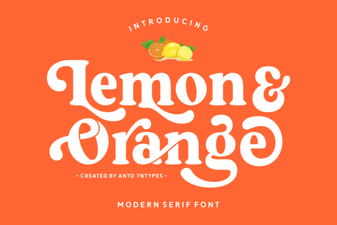 Fresh Citrus Fonts for Web Design Projects
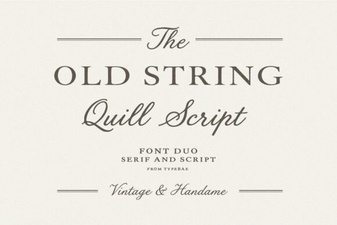 Vintage Typeface Styles for Modern Projects
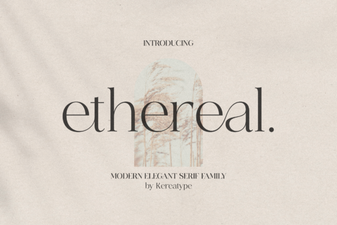 Ethereal Fonts for Elegant Web Design Projects
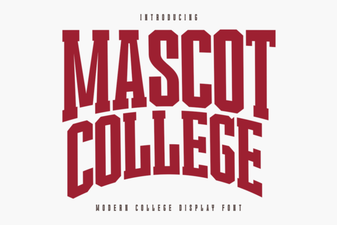 Designing with the Official Mascot College Font
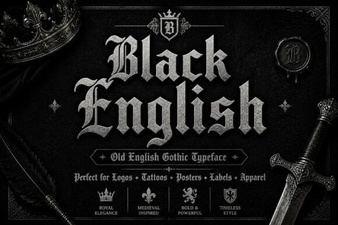 Stylish Black Font Designs for Web Projects
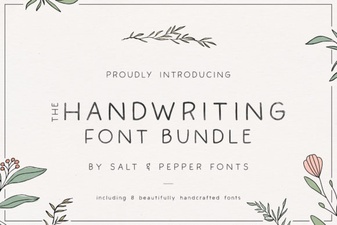 Craft Your Project with the Handwriting Bundle Font